Back up OpenHabitTracker to Appwrite
Add Appwrite sign in to the OpenHabitTracker Blazor PWA and keep a private backup of every habit, task and note in Appwrite Storage.
OpenHabitTracker is a habit, task and note tracker written in C# with Blazor. Its PWA keeps everything in the browser's IndexedDB, with a manual JSON export as the only way out. In this guide you add Auth UI to the PWA, put "Back up" and "Restore" buttons next to it, and store the backup as a private file in Appwrite Storage. One JavaScript file, one Razor component, no server code.
Backups grow past the 64 KB that user preferences allow as soon as a habit has a year of history, which is why this guide uses Storage. Preferences remain the right place for small values, as in the 2048 guide.
Clone and run the PWA
You need the .NET 10 SDK.
git clone https://github.com/Jinjinov/OpenHabitTracker.git
cd OpenHabitTracker
dotnet run --project OpenHabitTracker.Blazor.Wasm --launch-profile http
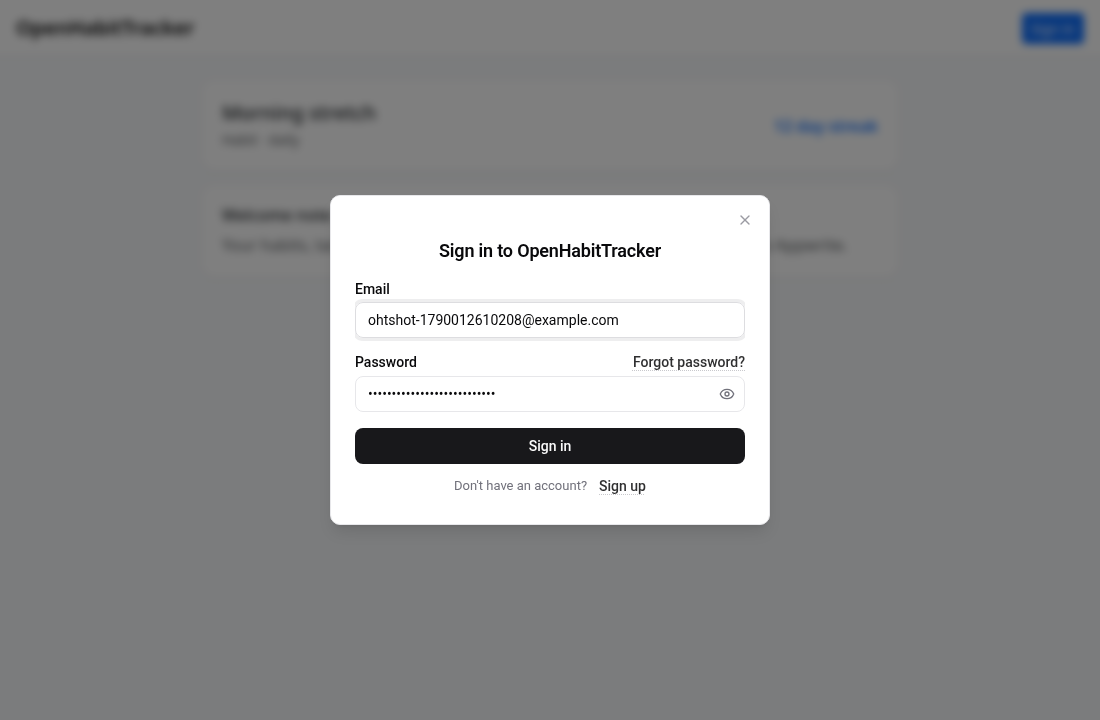
The first build takes a few minutes. Open http://localhost:5173 and you have the app with a welcome note.
Create an Appwrite project and a bucket
- Create a project on Appwrite Cloud or your own instance and add a Web platform with hostname
localhost. - Under Storage, create a bucket with the ID
backups. - In the bucket's Settings, enable File security and add a permission that lets the Users role create files. Each backup will carry its own read, update and delete permissions for the user who owns it, so nobody else can see it.
Note the project ID and API endpoint from the Console.
Load Auth UI
Add one script tag at the end of OpenHabitTracker.Blazor.Wasm/wwwroot/index.html, after the service worker registration:
<link rel="stylesheet" href="https://unpkg.com/@getauthui/core@0.1.45/dist/fouc.css" />
<script type="module" src="https://unpkg.com/@getauthui/core@0.1.45"></script>
Write the JavaScript side
Blazor talks to JavaScript through modules. Create OpenHabitTracker.Blazor.Wasm/wwwroot/appwrite.js with five functions. init configures Auth UI and reports sign-in changes back to C#. The upload keeps one file per user, named after the user ID, with permissions for that user only. The download goes through Auth UI's client, so the request is authenticated the same way as everything else, and because the file is JSON the client hands back the parsed object.
import { AuthUI, appwrite } from "https://unpkg.com/@getauthui/core@0.1.45";

const { Storage, Permission, Role } = appwrite;
const BUCKET = "backups";

export function init(endpoint, project, dotnetRef) {
  AuthUI.init({
    endpoint,
    project,
    methods: { emailPassword: true },
    branding: { name: "OpenHabitTracker" },
  });
  AuthUI.on("change", (state) =>
    dotnetRef.invokeMethodAsync(
      "OnAuthChanged",
      state.status === "signed-in",
      state.user?.email ?? ""
    )
  );
}

export function open(view) {
  AuthUI.open(view);
}

// One file per user, named after the user ID, only that user can read or replace it.
export async function uploadBackup(json) {
  const storage = new Storage(AuthUI.getClient());
  const userId = AuthUI.getUser().$id;
  const file = new File([json], "OpenHabitTracker.json", { type: "application/json" });
  const permissions = [
    Permission.read(Role.user(userId)),
    Permission.update(Role.user(userId)),
    Permission.delete(Role.user(userId)),
  ];

  try {
    await storage.deleteFile(BUCKET, userId);
  } catch {
    /* first backup */
  }
  await storage.createFile(BUCKET, userId, file, permissions);
}

export async function downloadBackup() {
  const storage = new Storage(AuthUI.getClient());
  const userId = AuthUI.getUser().$id;
  const url = new URL(storage.getFileDownload(BUCKET, userId));
  const data = await AuthUI.getClient().call("get", url); // the file is JSON, so the client parses it
  return JSON.stringify(data);
}
appwrite is the Appwrite Web SDK, re-exported by Auth UI so the page loads it once. AuthUI.getClient() is the signed-in client, and AuthUI.getUser() the current user. See the Appwrite docs for createFile and permissions.
Enable the nav bar slot
The shared layout has a slot for a login display in the navigation bar, but it is commented out. Open OpenHabitTracker.Blazor/Layout/Main.razor, find the block near the end of the <nav> element, and remove the @* and *@ comment markers around it:
<span class="ms-3">
    @NavBarFragment.GetNavBarFragment()
</span>
In the PWA that slot renders Layout/LoginDisplay.razor through Layout/NavBarFragment.cs. The existing component is wired to an OIDC setup the app does not use, so you replace it next.
Put the buttons in the nav bar
Replace the whole of OpenHabitTracker.Blazor.Wasm/Layout/LoginDisplay.razor:
@using System.Text
@using Microsoft.AspNetCore.Components.Web
@using Microsoft.JSInterop
@using OpenHabitTracker.Backup
@inject IJSRuntime JS
@inject NavigationManager Navigation
@inject ImportExportService ImportExportService
@implements IAsyncDisposable

<div class="d-flex align-items-center gap-2">
    @if (_signedIn)
    {
        <span class="navbar-text small text-truncate" style="max-width: 12rem">@_email</span>
        <button class="btn btn-sm btn-outline-secondary" @onclick="BackUp" disabled="@_busy"><i class="bi bi-cloud-upload" aria-hidden="true"></i> Back up</button>
        <button class="btn btn-sm btn-outline-secondary" @onclick="Restore" disabled="@_busy"><i class="bi bi-cloud-download" aria-hidden="true"></i> Restore</button>
        <button class="btn btn-sm btn-link" @onclick="OpenAccount">Account</button>
        @if (!string.IsNullOrEmpty(_status))
        {
            <span class="navbar-text small">@_status</span>
        }
    }
    else
    {
        <button class="btn btn-sm btn-primary" @onclick="OpenSignIn">Sign in</button>
    }
</div>

@code {
    private IJSObjectReference? _module;
    private DotNetObjectReference<LoginDisplay>? _self;
    private bool _signedIn;
    private string _email = string.Empty;
    private bool _busy;
    private string _status = string.Empty;

    protected override async Task OnAfterRenderAsync(bool firstRender)
    {
        if (!firstRender)
            return;

        _module = await JS.InvokeAsync<IJSObjectReference>("import", "./appwrite.js");
        _self = DotNetObjectReference.Create(this);
        await _module.InvokeVoidAsync("init", "https://fra.cloud.appwrite.io/v1", "YOUR_PROJECT_ID", _self);
    }

    [JSInvokable]
    public void OnAuthChanged(bool signedIn, string email)
    {
        _signedIn = signedIn;
        _email = email;
        StateHasChanged();
    }

    private async Task OpenSignIn()
    {
        if (_module is not null)
            await _module.InvokeVoidAsync("open", "sign-in");
    }

    private async Task OpenAccount()
    {
        if (_module is not null)
            await _module.InvokeVoidAsync("open", "account");
    }

    private async Task BackUp()
    {
        if (_module is null)
            return;

        _busy = true;
        string json = await ImportExportService.GetDataExportFileString(FileFormat.Json);
        await _module.InvokeVoidAsync("uploadBackup", json);
        _status = $"Backed up {DateTime.Now:HH:mm}";
        _busy = false;
    }

    private async Task Restore()
    {
        if (_module is null)
            return;

        _busy = true;
        string json = await _module.InvokeAsync<string>("downloadBackup");
        using MemoryStream stream = new(Encoding.UTF8.GetBytes(json));
        await ImportExportService.ImportDataFile("OpenHabitTracker.json", stream);
        Navigation.NavigateTo(Navigation.Uri, forceLoad: true); // reload so every view reads the restored data
    }

    public async ValueTask DisposeAsync()
    {
        _self?.Dispose();
        if (_module is not null)
            await _module.DisposeAsync();
    }
}
Nothing here is new to the app. ImportExportService is the same service behind the Data → Export JSON and Import buttons, and DotNetObjectReference with [JSInvokable] is how the app already receives notification clicks from JavaScript. AuthUI.on("change") calls OnAuthChanged on every state change, so the nav bar re-renders when the modal closes.
Try it
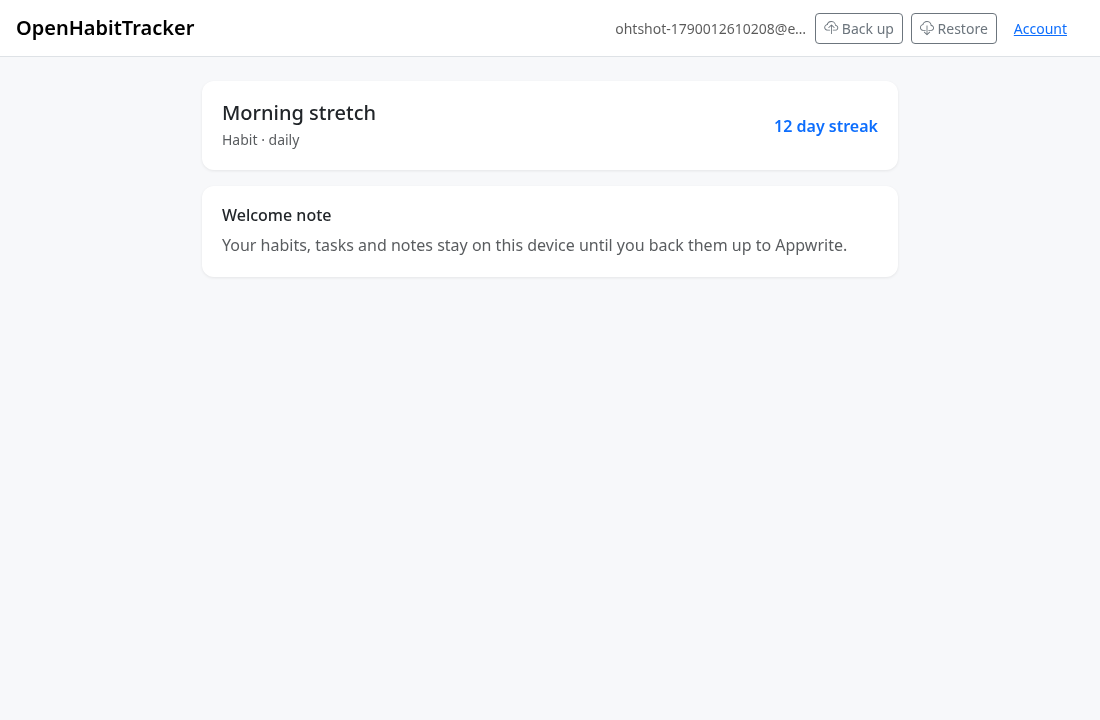
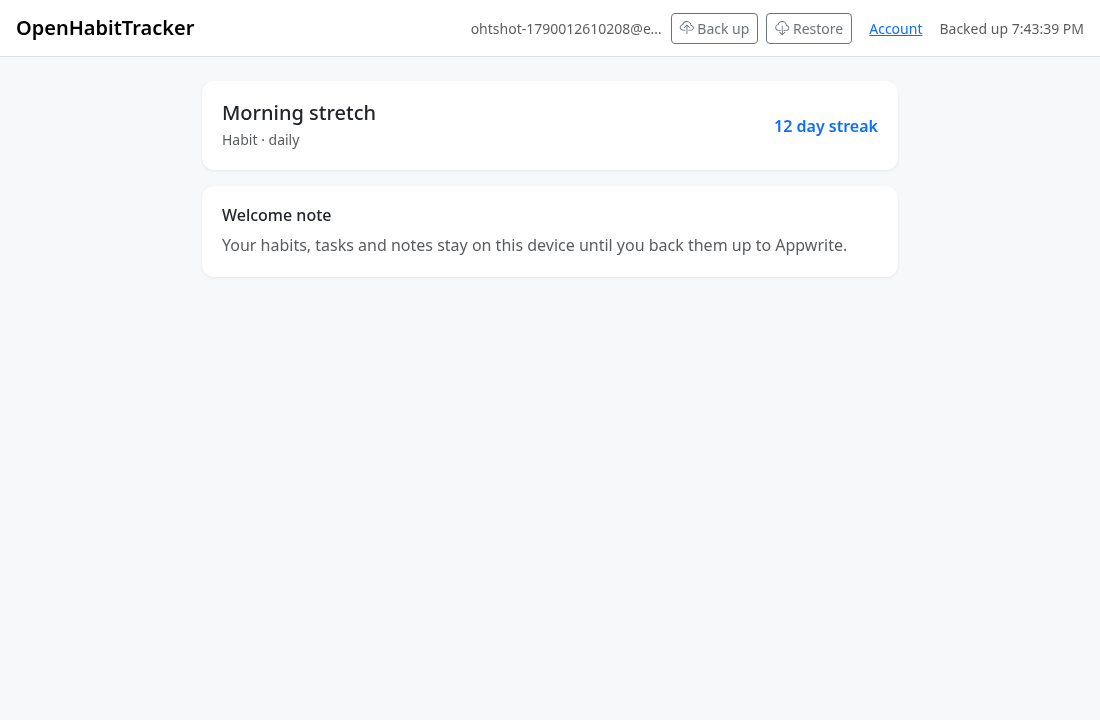
- Run the app, click Sign in in the nav bar, and sign up. The buttons change to Back up, Restore and Account.
- Click Back up. The file appears in the Console under Storage → backups, with permissions for your user only.
- Open http://localhost:5173 in a private window, sign in, click Restore. The app reloads with your data.
Where to go from here
- Back up automatically. Call
BackUp()from a timer, or afterClientStatechanges, instead of on click. - Show the last backup time. Read the file's
$updatedAtwithstorage.getFile()and put it next to the buttons, or keep it in user preferences. - Ship it as a PWA. Publish with
dotnet publish -c Releaseand add the deployed hostname as a Web platform. A script loaded from the CDN is not in the service worker's cache, so sign in and backup need a connection even when the rest of the app works offline. Copy the module intowwwrootif you want it cached too.
This guide follows the happy path. Import in OpenHabitTracker adds to existing data rather than replacing it, so restoring on a device that already has the same items duplicates them. Restore onto a fresh device, or use Data → Delete all data first.
Continue where you left off in SilverBullet
Add Appwrite sign in to a self-hosted SilverBullet notebook with a Space Lua script, and reopen the page you were reading on any device.
Back up WeekToDo to Appwrite
Add Appwrite sign in to the WeekToDo Vue planner and keep a private .wtdb backup in Appwrite Storage, using the same export format the app already ships.